
Posted on: March 15, 2026
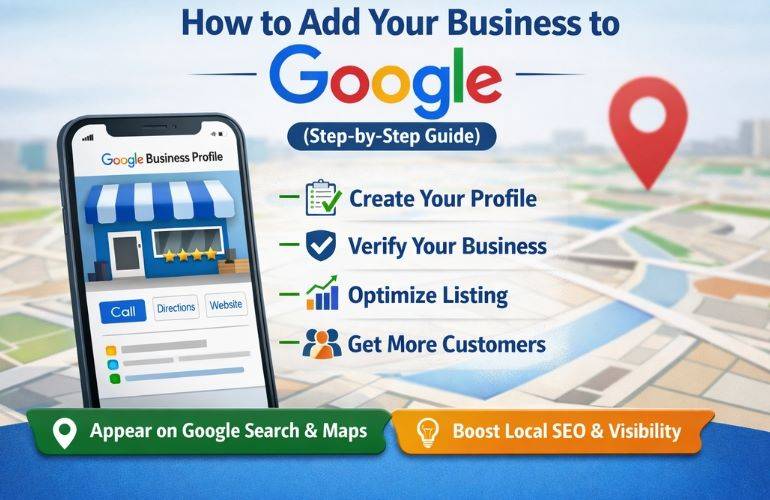
How to Add Your Business to Google (Complete Google Business Profile Guide)
Listing your business on Google is one of the most effective ways to increase visibility and attract local customers. When your business appears on Google Search and Google Maps, potential customers can easily find your location, contact information, reviews, and services.
Businesses that want to improve their online presence often combine Google Business Profile optimization with professional SEO services in Bangalore to rank higher in search results and generate more leads.
What is Google Business Profile?
Google Business Profile is a free tool provided by Google that allows businesses to manage their online presence across Google Search and Google Maps. By creating a business listing, you can display important information such as your address, phone number, business hours, and customer reviews.
A well-optimized profile can significantly improve your local search rankings and help customers discover your business easily.
Benefits of Listing Your Business on Google
- Increase visibility in Google Search and Google Maps
- Attract local customers searching for your services
- Build trust with customer reviews
- Improve local SEO rankings
- Drive more traffic to your website
Many businesses work with a professional digital marketing agency in Bangalore to optimize their listing and maximize local search visibility.
Step-by-Step Guide to Add Your Business to Google
Step 1: Visit Google Business Profile
Go to Google Business Profile and sign in with your Google account. If you do not have an account, you will need to create one.
Step 2: Enter Your Business Name
Type the name of your business. If your business already exists on Google, you may be able to claim the listing. If not, you can create a new listing.
Step 3: Select Business Category
Choose the category that best describes your business. Selecting the right category helps Google show your business to the right customers.
Step 4: Add Your Business Location
If you have a physical store or office, enter your business address so it appears on Google Maps.
Step 5: Add Contact Information
Provide your phone number and website so customers can easily contact you or visit your website.
If you need a professional website, consider working with a web design company in Bangalore to create a high-performing website for your business.
Step 6: Verify Your Business
Google requires verification to confirm that your business is legitimate. Verification methods may include:
- Phone verification
- Email verification
- Video verification
How to Optimize Your Google Business Profile
Creating a listing is just the first step. Optimization is important to improve visibility and attract more customers.
- Add high-quality photos of your business
- Write a clear business description
- Choose the correct categories
- Encourage customers to leave reviews
- Post updates and offers regularly
Common Mistakes to Avoid
- Using incorrect business categories
- Adding inconsistent contact information
- Ignoring customer reviews
- Not updating business hours
- Using poor quality images
Avoiding these mistakes can help your business rank higher in local search results.
Why Local SEO is Important
Local SEO helps businesses appear in location-based searches such as “near me” queries. A well-optimized Google Business Profile combined with strong local SEO strategies can significantly increase customer inquiries and website traffic.
Working with experienced professionals like Digiency can help businesses improve their online presence and achieve better results through SEO and digital marketing strategies.
Frequently Asked Questions
Is Google Business Profile free?
Yes, Google Business Profile is completely free and any business can create a listing.
How long does Google business verification take?
Verification usually takes between a few minutes and a few days depending on the verification method.
Can I list my business on Google without a physical location?
Yes, service-based businesses can hide their address and still appear in local search results.
Why is my business not showing on Google?
Your business may not appear if the profile is not verified, incomplete, or not optimized properly.
Conclusion
Listing your business on Google is essential for attracting customers and increasing online visibility. By creating and optimizing your Google Business Profile, you can improve local search rankings and generate more leads for your business.
If you want expert assistance with SEO and local search optimization, you can partner with Digiency to grow your business online.